Seclore design system
Seclore design system
Product designer
Design system
Project overview
Seclore, as an app and ecosystem, has various touchpoints like web, native desktop, Outlook add-in, and native mobile. In this multi-touchpoint ecosystem, we wanted to centralize execution at some point due to the inconsistent experiences across different touchpoints. So, we decided to define brand design guidelines that would be applied to all touchpoints.
Domain
Cyber security
My role
Product designer
Team
2 Designers
Timeline
Present - 2025
Problems
Lack of Consistency in the Ecosystem
Eliminate inconsistency between experiences across all Seclore touchpoints.
Lack of Middle Ground B/W Des & Dev
Address the lack of a common repository to be used by design and dev.
Minimise the Execution Effort
Meeting the UI standards while execution is so difficult each and every time.
Focus on Business Logic
Main focus on business logic and performance over coding the components for each page.
Problem statement
How might we improve execution quality and speed while preserving core business logic?
Domain and It's Design Guidelines

Design system and it's touch points
Native
Win. & Mac
Native
Android & IOS
Seclore's
Gmail client
Outlook
Add-in


Swift & material UI
The mobile app uses swift for ios and material UI for android.
Angular material
Since Email 2.0 is a web based application it's using Angular material
Microsoft Fluent
To align with the ecosystem of outlook and not to stand alone as a different thing it's using fluent library
Why Did We Choose Fluent Over Other Design Systems
Microsoft Fluent 2
Product consistency across microsoft's ecosystem
Modern design and easy to incorporate
Fluent
We chose Microsoft Fluent 2 because it helps us keep our design consistent with other Microsoft products while also being modern and easy to work with. This makes it easier for us to create clean, user-friendly interfaces that fit well with Seclore’s overall design guidelines and development stack.
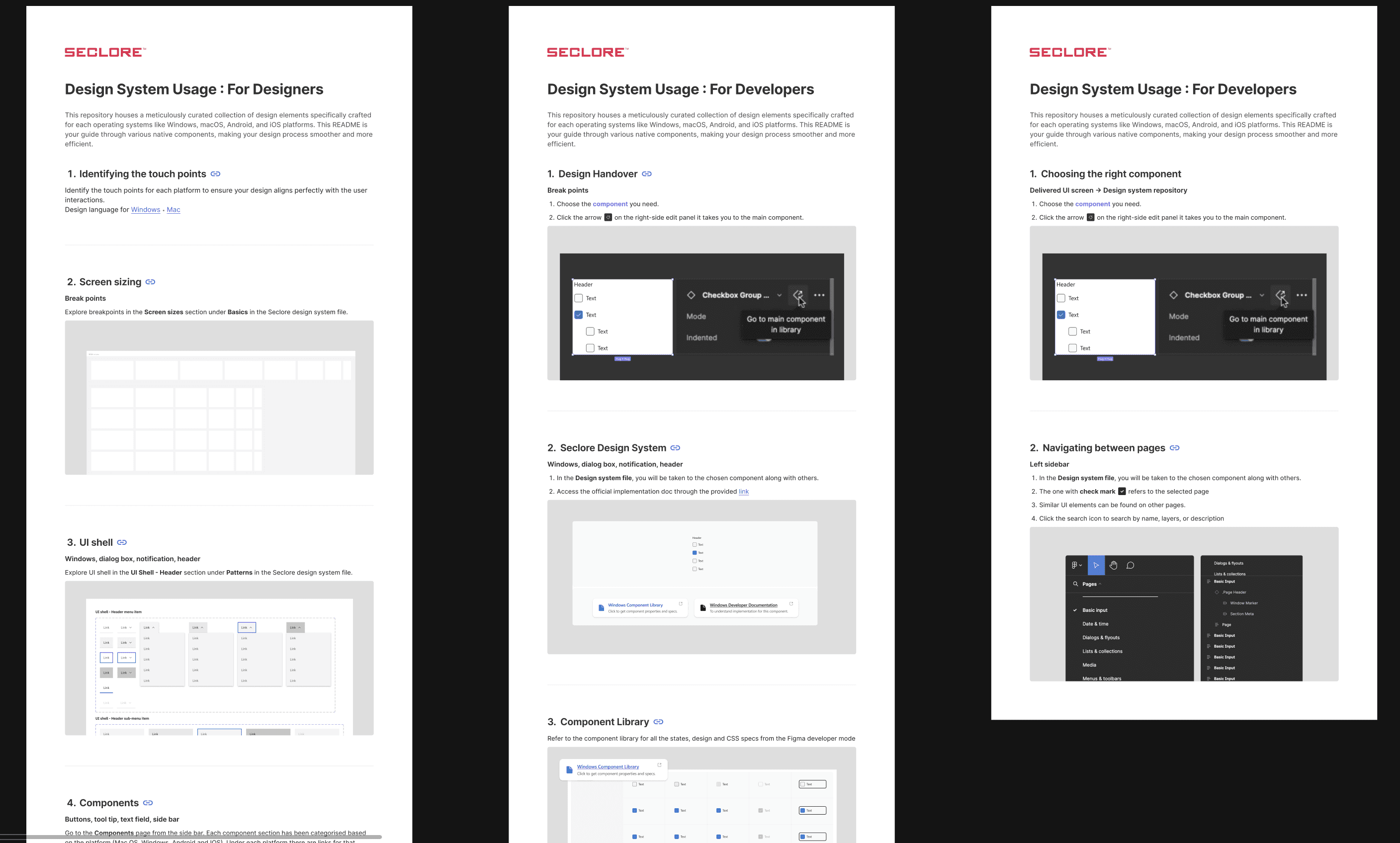
We Made it Easier for the Devs to Access the Design System
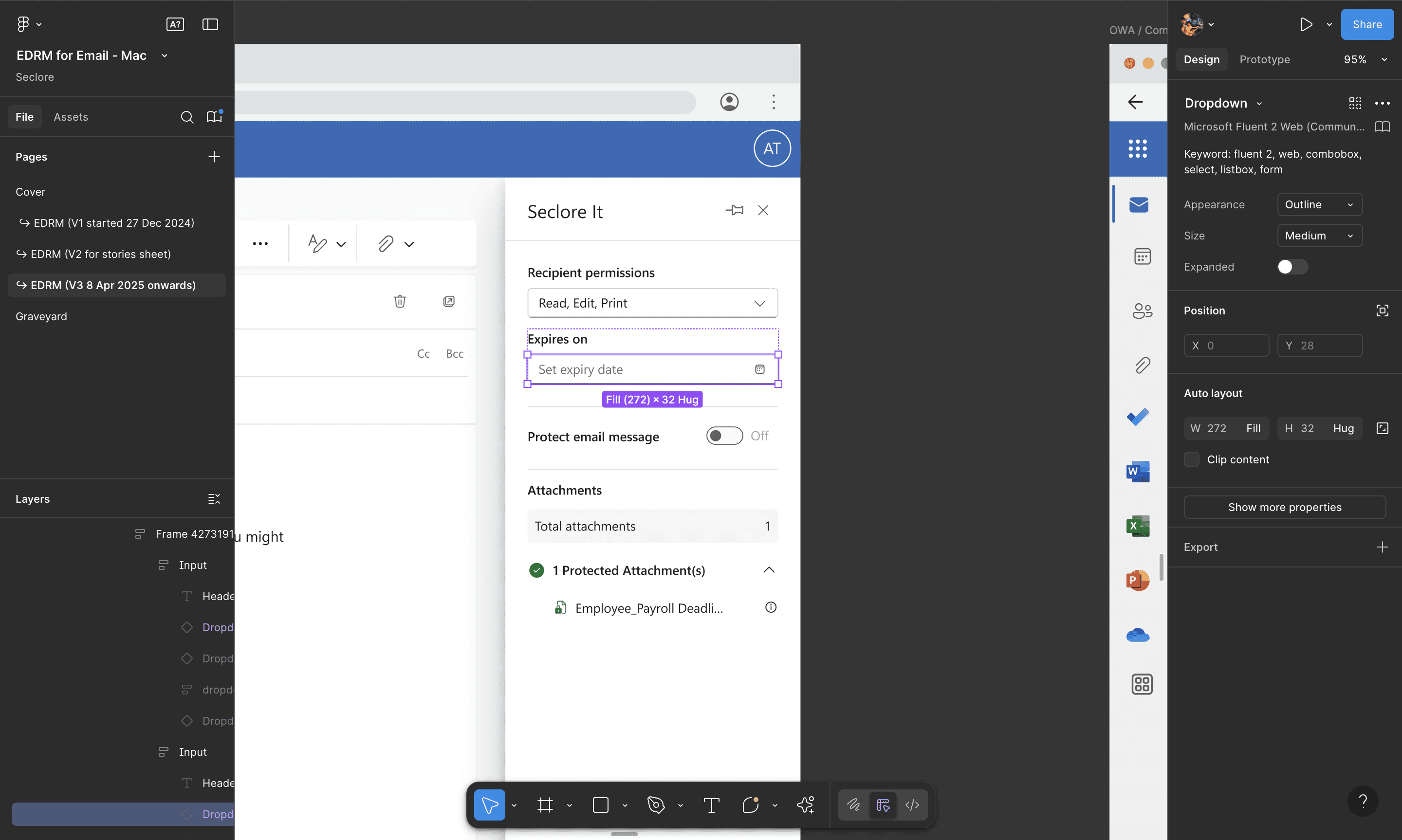
This guide simplifies the process for developers, offering step-by-step instructions on how to navigate, inspect, and utilize design system elements. It ensures seamless integration between design and development, boosting efficiency and consistency across projects.
The 4 Voices Behind
Seclore AI
01
Voice of Intent
We need to enable AI capabilities while it’s still a nice-to-have, else we’ll end up playing catch-up.
02
Voice of User
Just want answers faster—something that helps me spot issues or risks without digging through tons of data.
03
Voice of Design
AI should enable workflows which would otherwise not be feasible without high resource investment.
04
Voice of Experience
We should look at which reports our personas typically require, and dive deeper into what they would like to see there.
System Architecture & Foundations
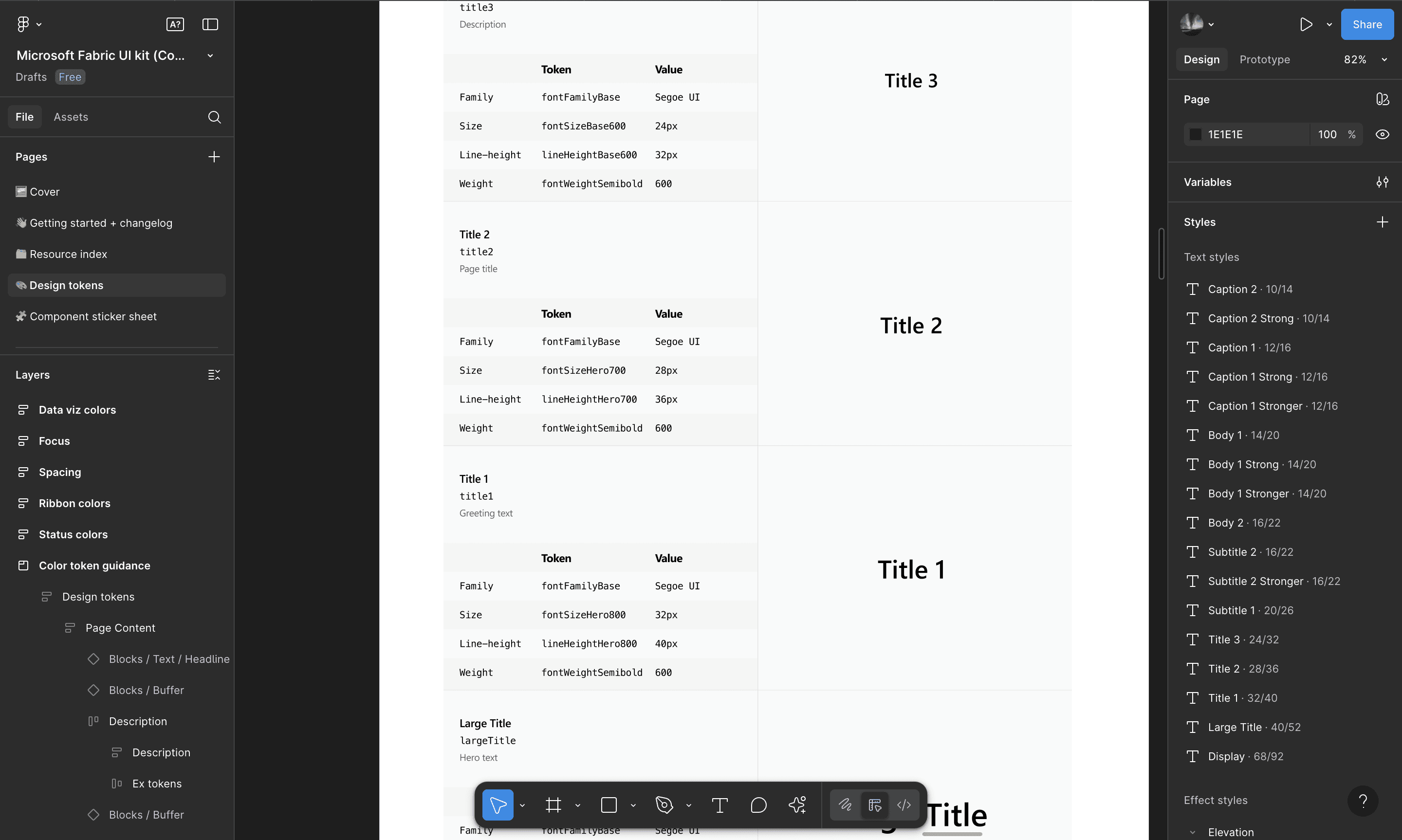
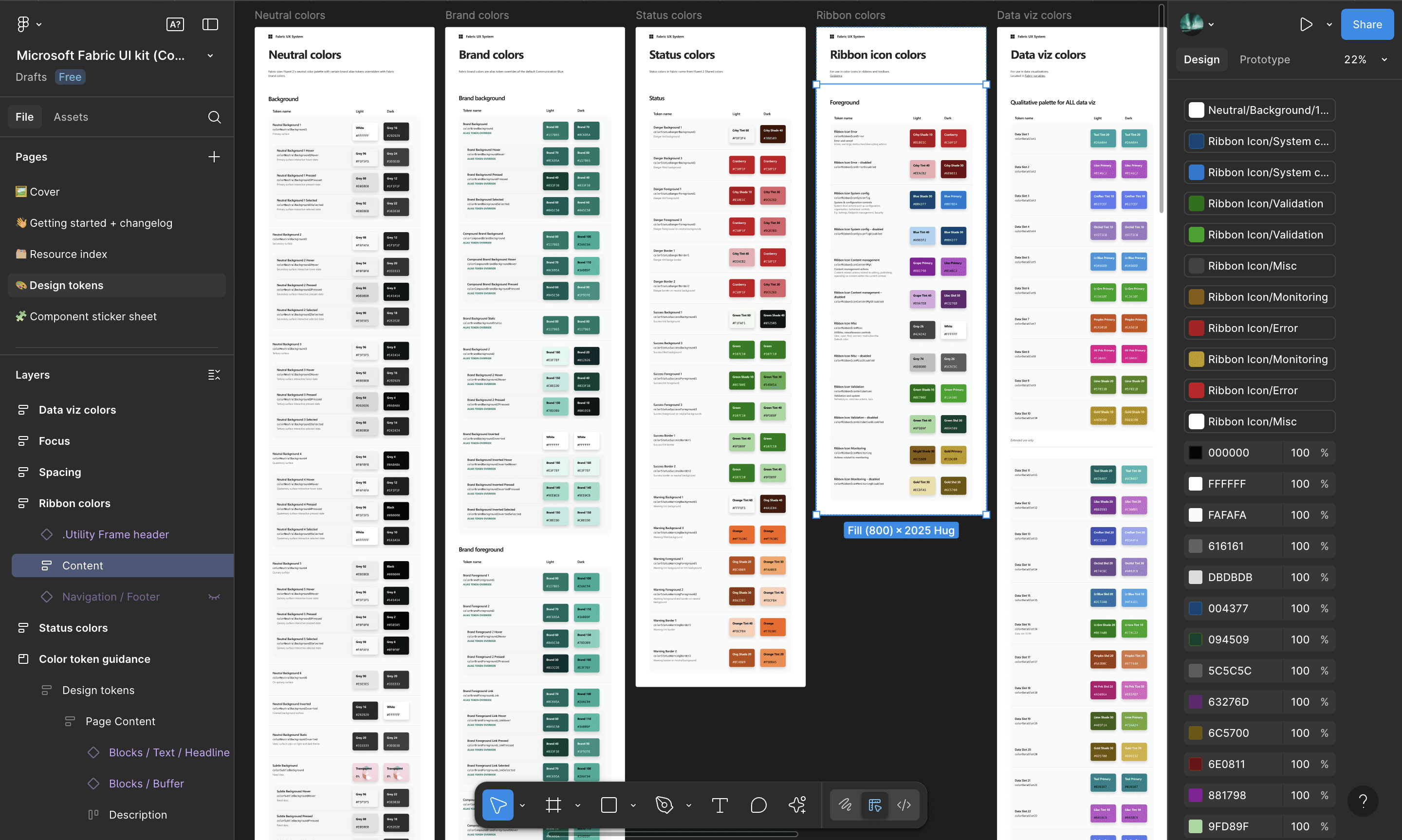
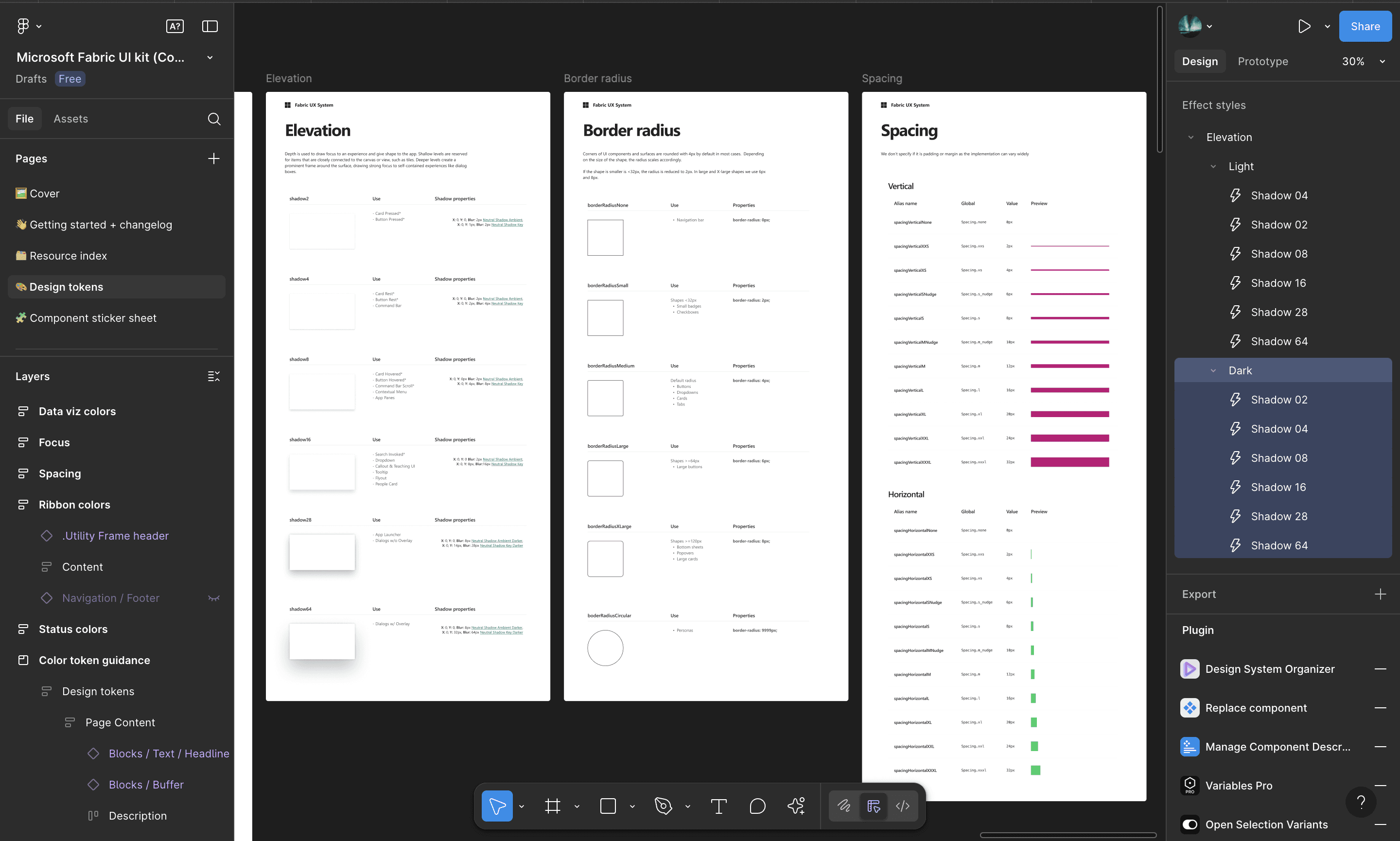
These are the core design tokens — the smallest reusable decisions that inform every component and layout. They define the system’s visual identity and ensure brand consistency across all touchpoints.
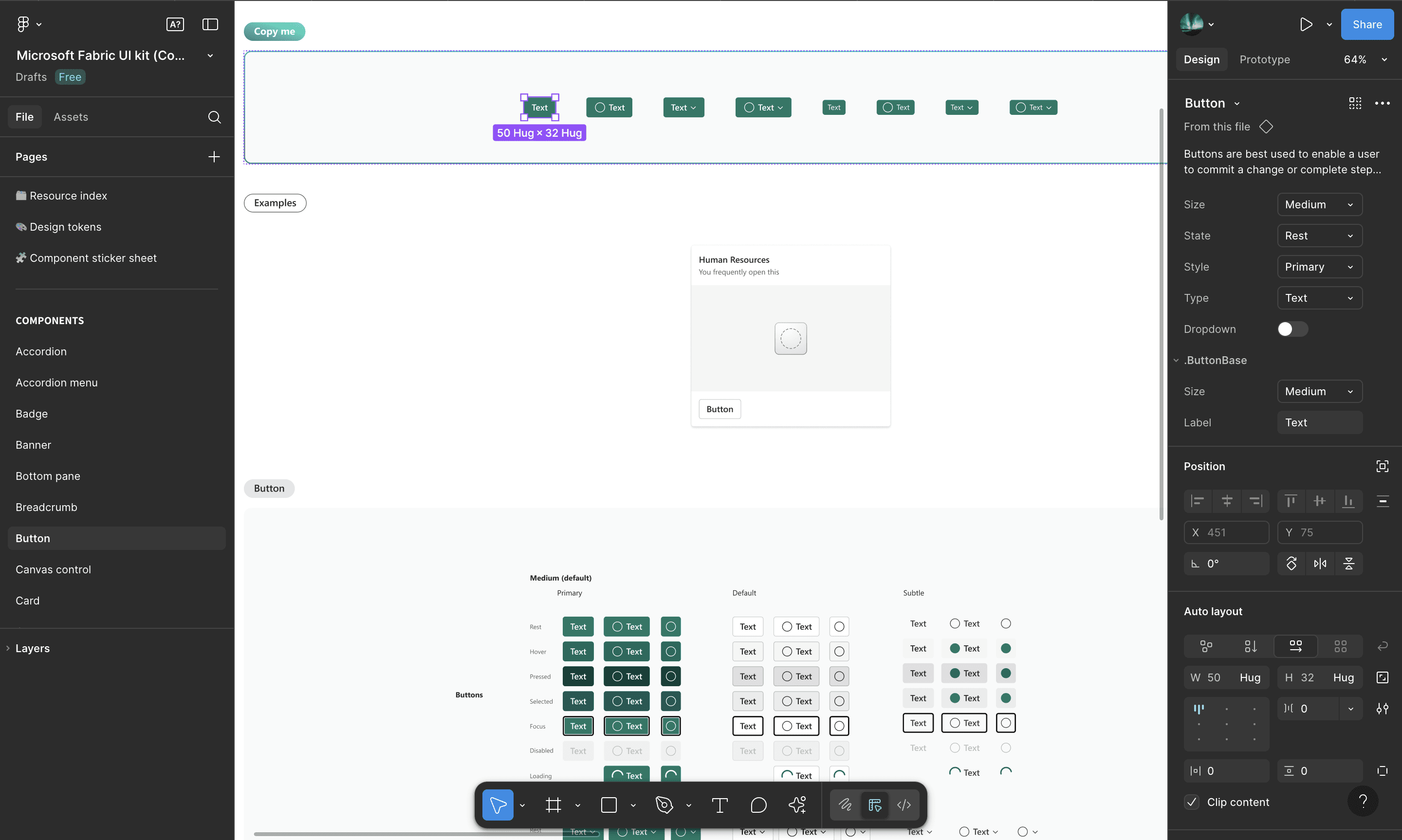
Sample usage — Using Razorpay's design system as benchmark to cover the edge cases.
Typography
Color
Elevation, radius & spacing
Components
Sample usage
My growth as a designer
through this project
01
Construction from 0 -> 1
Understanding of LLMs and how AI can be integrated into an existing product. Learnt how to elevate the current experience of the app to more interactive using AI.
02
Features of design system
Understanding of LLMs and how AI can be integrated into an existing product. Learnt how to elevate the current experience of the app to more interactive using AI.
03
Reusable components
Designed AI agents which can use more human like conversations. Understood and incorporated the theory of AI assisted experience vs AI driven experience.
04
Conversational design
Designed AI agents which can use more human like conversations. Understood and incorporated the theory of AI assisted experience vs AI driven experience.
If you liked that, you’ll probably love these too!

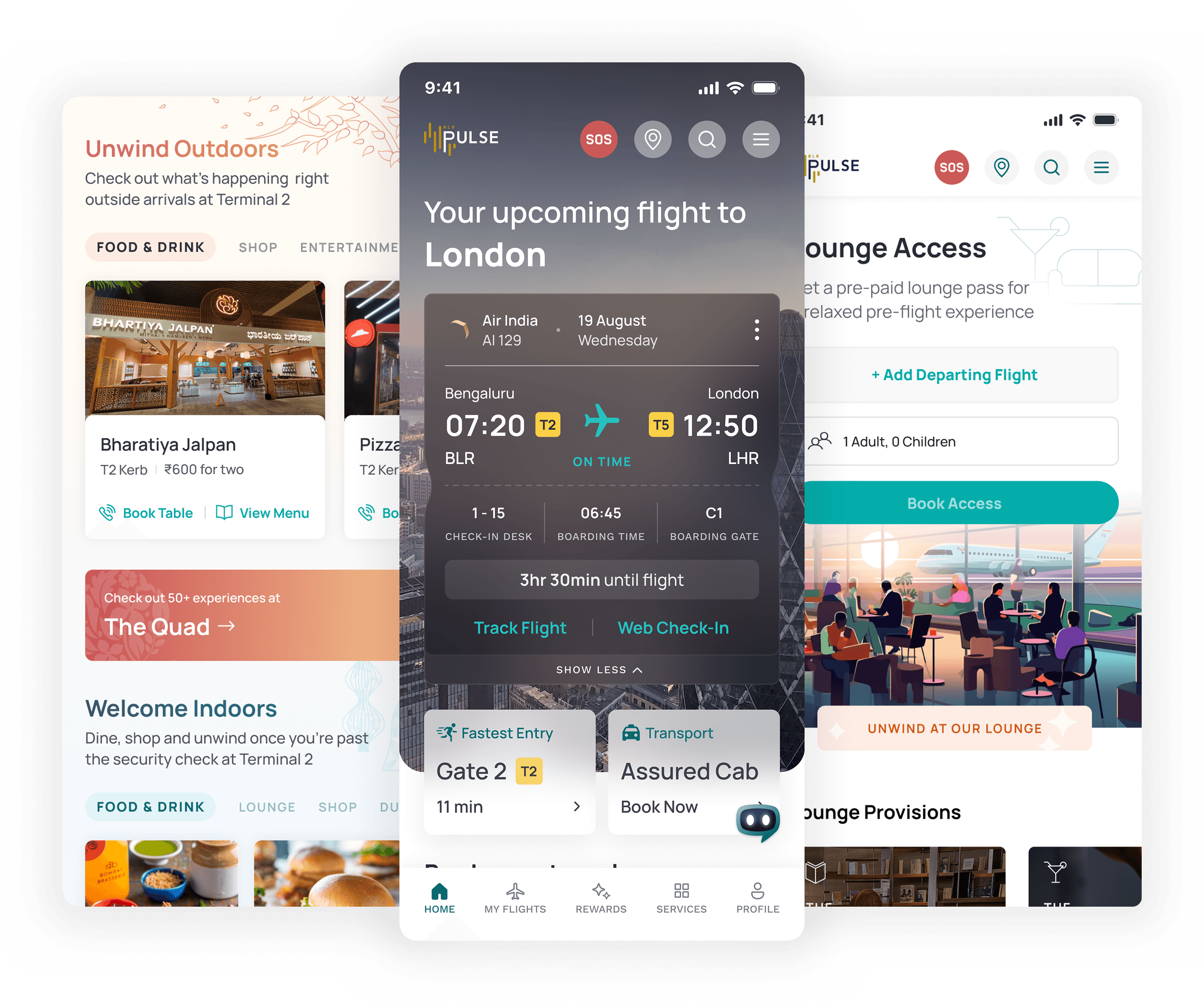

Airport super app
Bengaluru’s Kempegowda International Airport (BLR) is redefining the airport experience by integrating diverse services into a single, seamless platform.
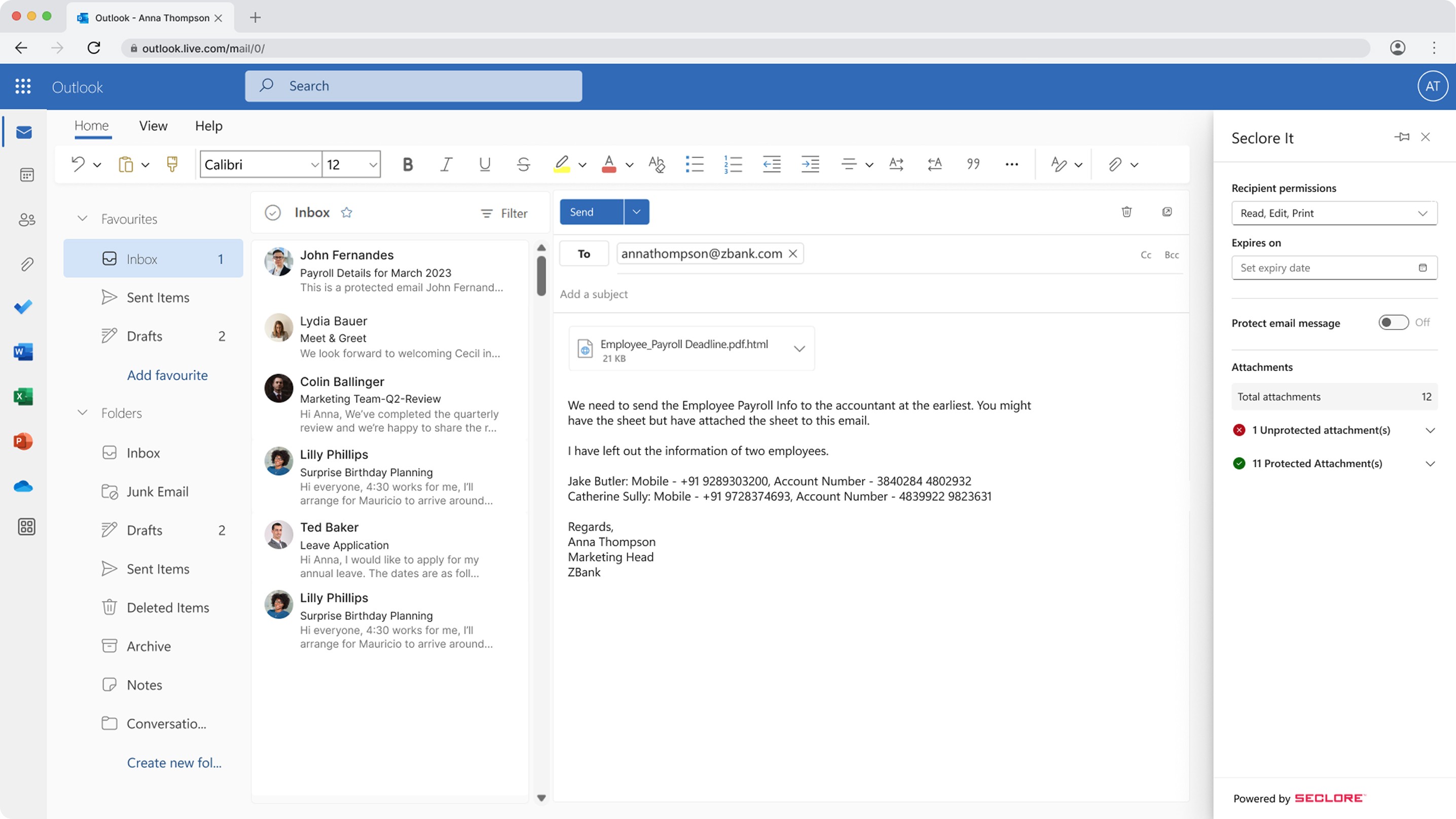
Seclore AI dashboard
Shields your sensitive, private, and regulated enterprise data is always shielded from cyber attacks, ransomware, leaks, and unauthorised access.